
How to Use the Audio Mixer Tool on Ringtonehub9.com (100% Free)
Audio mixing is a useful feature when you want to combine two or more audio files into one. Whether you are creating a custom ringtone, mixing background music with voice, or blending multiple sound effects, the Audio Mixer Tool on Ringtonehub9.com makes the process fast, simple, and completely free. No registration or software installation is required.
Step 1: Open the Audio Mixer Tool
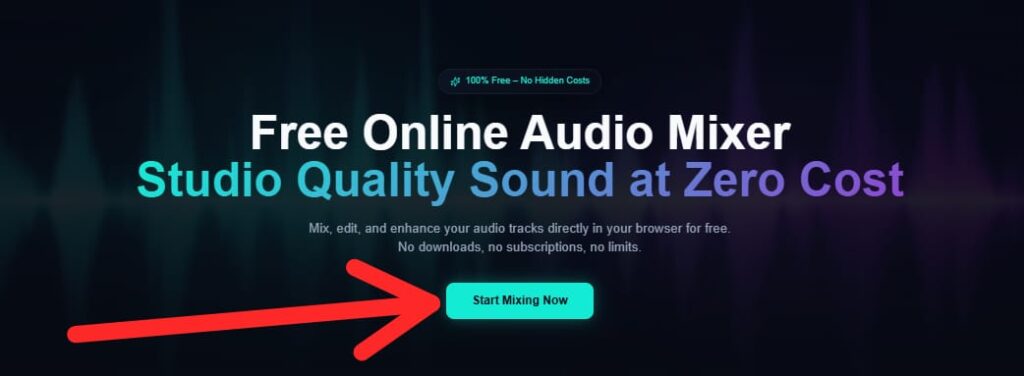
First, visit Ringtonehub9.com and navigate to the Audio Mixer Tool section. The tool works directly in your browser, so you can use it on any device, including mobile, tablet, or desktop.
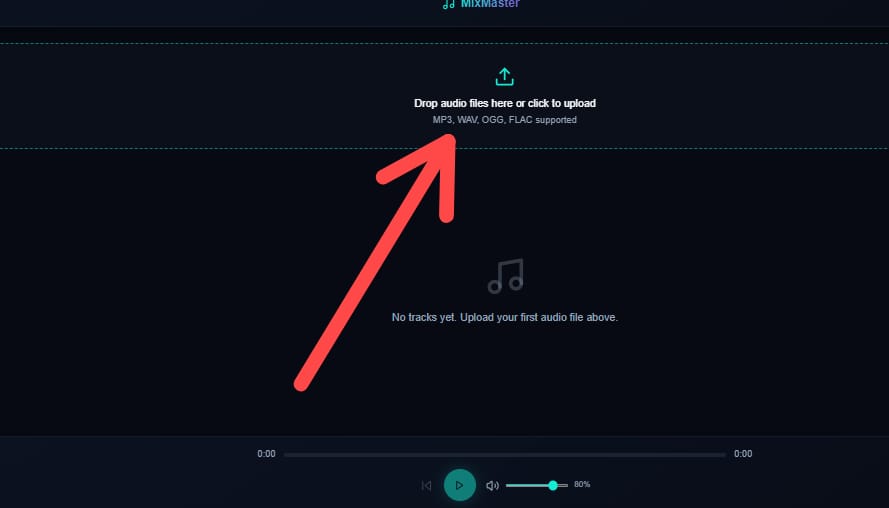
Step 2: Upload Your Audio Files
Click on the Upload button and select the audio files you want to mix. You can upload multiple files such as MP3, WAV, or other common audio formats. All files are processed securely, and your privacy is always protected.
Step 3: Adjust Audio Settings
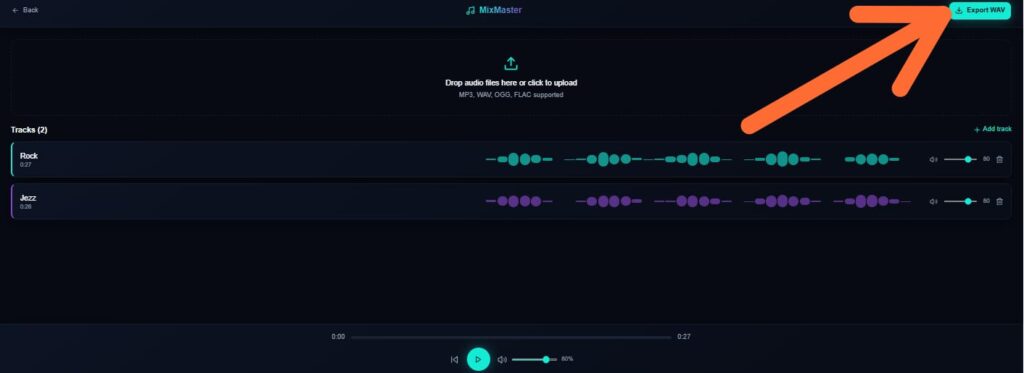
After uploading, you can adjust the volume level of each audio track. This helps you balance background music and vocals properly. Some tracks can be kept low for background sound, while others can be louder for clarity. This step ensures a clean and professional mix.
Step 4: Mix the Audio
Once you are satisfied with the settings, click on the Mix Audio button. The tool will instantly process your files and combine them into a single audio track without reducing the original quality.
Step 5: Download the Final File
After mixing is complete, simply click the Download button to save the mixed audio file to your device. You can now use it as a ringtone, background music, or for any personal project.
Why Use Ringtonehub9.com Audio Mixer?
100% free to use
No sign-up required
Fast and easy interface
Works on all devices
High-quality audio output
The Audio Mixer Tool on Ringtonehub9.com is designed for everyone—from beginners to advanced users. It is a reliable, safe, and completely free solution for mixing audio online.
Why It’s 100% Free
We believe everyone deserves access to professional audio tools without barriers.
No Signup Required
Jump straight into mixing without creating an account.
No Watermark
Export clean audio without any branding or watermarks.
Unlimited Exports
Download as many mixed tracks as you need, forever.
Fast Processing
Cloud-powered mixing with lightning-fast render times.
Beginner Friendly
Intuitive interface designed for creators of all skill levels.
Zero Hidden Fees
What you see is what you get — completely free, always.
Everything You Need to Create
Professional-grade audio mixing tools, all accessible right in your browser.
Multi-Track Mixing
Layer multiple audio tracks and blend them seamlessly with professional precision.
Drag & Drop Upload
Simply drag your audio files into the browser and start mixing instantly.
Volume Control
Fine-tune individual track volumes with real-time audio visualization.
Audio Effects
Apply reverb, echo, EQ, and more professional effects to enhance your sound.
Noise Reduction
AI-powered noise removal to clean up recordings and eliminate background noise.
High Quality Export
Export your mixed audio in MP3, WAV, or FLAC formats at studio quality.
What Our Users Say
Real feedback from users who rated us five stars ⭐⭐⭐⭐⭐