
How to Cut MP3 Files Online
How to Use the MP3 Cutter Tool on Ringtonehub9.com (100% Free)
Ringtonehub9.com offers a fast, simple, and 100% free MP3 Cutter Tool that allows users to trim audio files easily without installing any software. Whether you want to create a custom ringtone, cut a favorite music clip, or remove unwanted parts from an audio file, this tool is designed to make the process quick and user-friendly.
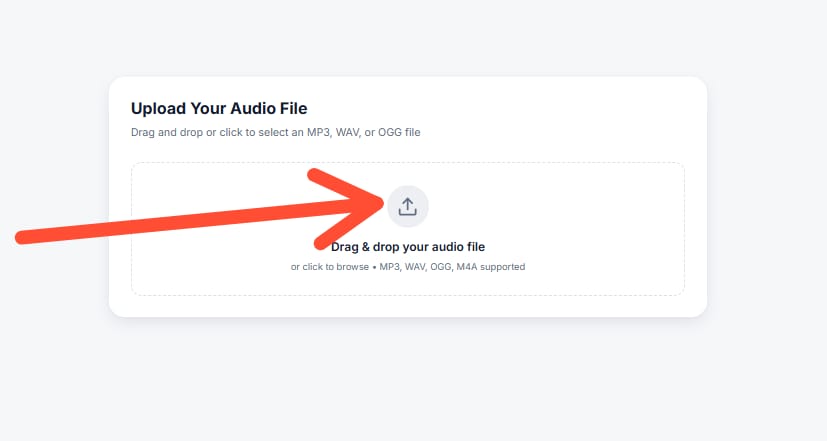
Step 1: Upload Your MP3 File
To begin, visit Ringtonehub9.com and open the MP3 Cutter Tool page. Click on the Upload or Choose File button and select the MP3 file from your device. The tool supports standard MP3 formats and works smoothly on both mobile and desktop browsers.
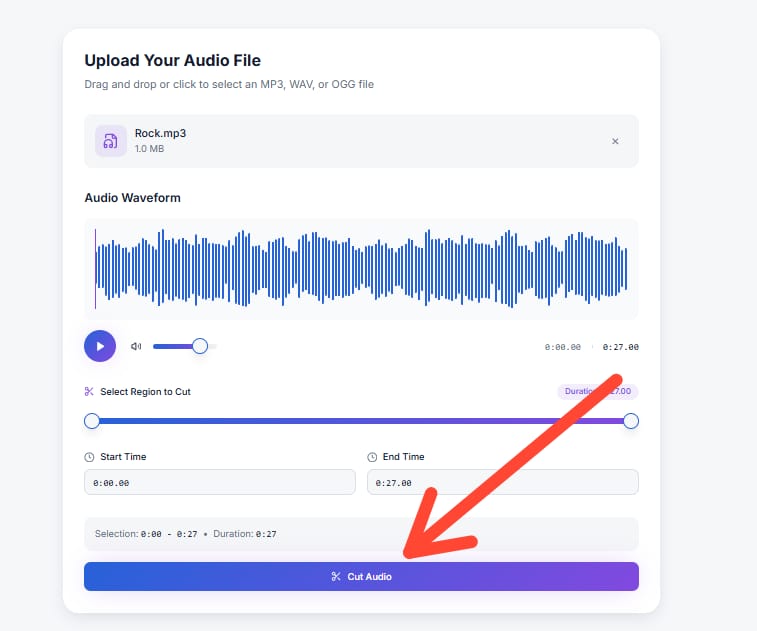
Step 2: Select the Start and End Time
Once your audio file is uploaded, you will see an interactive audio timeline. Use the slider or manually enter the start time and end time to choose the exact portion of the audio you want to cut. This feature helps you create precise clips, perfect for ringtones, notifications, or short audio edits.
Step 3: Preview the Audio
Before cutting the file, you can preview the selected section to ensure it sounds exactly the way you want. This step is useful for avoiding mistakes and saving time. If needed, adjust the timing until you are satisfied with the result.
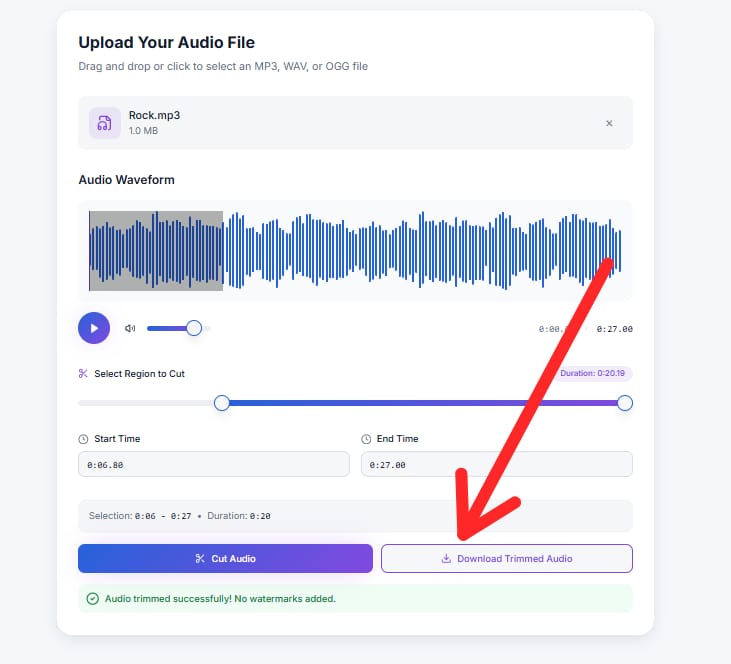
Step 4: Cut and Download
After confirming your selection, click on the Cut MP3 button. The tool will process your audio within seconds. Once completed, you can instantly download the trimmed MP3 file to your device. No registration, no watermark, and no hidden charges.
Why Use Ringtonehub9.com MP3 Cutter?
-
Completely free to use
-
No software or app installation required
-
Safe, secure, and privacy-friendly
-
Works on Android, iPhone, and PC
-
Fast processing with high-quality output
Why Choose Our MP3 Cutter Tool?
Cut, trim, and edit MP3 files easily with Ringtonehub9.com — fast, simple, and designed for everyone.
🎵 Our MP3 Cutter Tool in Numbers
Total Users Used Our MP3 Cutter
Users Successfully Cut MP3 Files
Happy Users Using Our Tool
What Users Say About Our MP3 Cutter Tool
Real reviews from users who trimmed and edited MP3 files easily using our tool.